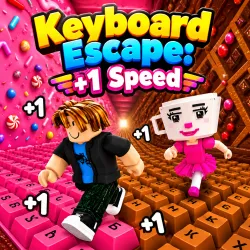
Launch Lucky Brainrots, grab speed boosts, dodge Tung Tung Sahur, and upgrade your run in +1 Speed Keyboard Lucky Escape.
RUN THE KEYBOARD GAUNTLET
+1 Speed Keyboard Lucky Escape turns a giant keyboard into a chaotic playground where collecting, upgrading, launching, and escaping all happen in one fast-paced run. You are not simply trying to move as quickly as possible. You also need to make smart choices about what to collect, when to upgrade, and when it is time to sprint back toward safety.
Core Gameplay
The game starts with Lucky Brainrots and a bazooka. Launch a Lucky Brainrot as far as you can, then see what kind of reward appears. Picking up +1 Speed rewards changes how your character moves, allowing you to cover the keyboard world faster. The faster you become, the more useful that speed can be when it is time to escape. You can also improve your launch range. Then the chase begins. Tung Tung Sahur can pursue you while you are trying to make it back toward the Safe Zone. This creates a fun change of pace because collecting and upgrading suddenly turn into survival. Use your speed boost when you need extra distance, but do not waste it without a reason. If you are being chased, focus on reaching the Safe Zone instead of getting distracted by another collectible. As you build up your Brainrots and improve your launch range, you can keep working toward stronger runs and better rewards.
Tips For A Faster Escape
Do not treat every run as a race to collect everything. Upgrade your launch range when possible because sending Lucky Brainrots farther can improve your chances of finding more valuable rewards. Use Shift for speed at moments when it actually matters. Saving a burst for a dangerous chase can give you more value than holding it down constantly. If you are playing with two players, coordinate your movement and avoid getting in each other's way during escapes.
KEY FEATURES TO EXPLORE
- 93 Brainrots to discover
- Lucky Blocks and Brainrot launching
- Bazooka-based launch gameplay
- +1 Speed pickups to improve movement
- Launch range upgrades
- Brainrot upgrades
- Rebirth progression
- Tung Tung Sahur chase sequences
- Safe Zone escape objective
- One-Player mobile support
- Two-Player controls on PC
PC Controls
Player 1
- WASD to move
- Space to jump
- Shift to speed up
- Tab or E to launch Lucky Brainrot
- E to interact
- Q to upgrade Brainrot
- T to open the Rebirth Menu
Player 2
- Arrow Keys to move
- L to jump
- K to speed up
- U to launch Lucky Brainrot or upgrade Brainrot
- O to interact
- Y to open the Rebirth Menu
FAQS
How many Brainrots can you collect?
There are 93 different Brainrots available to discover.
What should I do when Tung Tung Sahur starts chasing me?
Focus on getting back to the Safe Zone and use your movement speed wisely.
Can I play with two players?
Yes.
Ready to test your luck and speed? Jump onto the giant keyboard, launch those Lucky Brainrots, build your speed, and make it back to the Safe Zone. When you are ready for another challenge, dive into more escape and collecting games such as +1 To Flight Power Per Click, Obby: +1 Bridge Builder, and SKATE +1 Speed.